Video Popup Showcase Documention
1. Introduction (Overview)
The Video Popup Showcase module lets you display videos in an engaging popup, with grid or slider layouts. Add multiple videos, choose YouTube or custom sources, and customize titles, descriptions, and styles to match your brand. Fully responsive and easy to use in HubSpot.
2. Key Features
- Popup Video Display – Showcase videos in a stylish popup to grab attention.
- Grid or Slider Layout – Choose between grid or slider for multiple videos.
- Optional Titles & Descriptions – Add or hide text as needed.
- Multiple Videos Support – Easily add and showcase more than one video.
- YouTube or Custom Videos – Use external videos or upload your own.
- Fully Customizable – Adjust colors, text, and layouts to match your brand.
- Responsive Design – Optimized for all devices, from desktop to mobile.
3. Installation – Downloading the Module from HubSpot Marketplace
- Log in to your HubSpot account.
- Go to the Marketplace from the main navigation menu.
- Search for your module by name.
- Find the module in the results and click Install.
- If it’s a paid module, you can also click Buy Now to purchase and install directly.
4. How to Use – Adding the Module to Your Page
- Open your HubSpot page editor.
- Click on Add Module.
- Search for your module by name.
- Drag and drop the module into the desired section of your page.
- Customize module settings as needed — update headings, descriptions, images, video popups, layouts, and styles.
5. Module Settings Guide
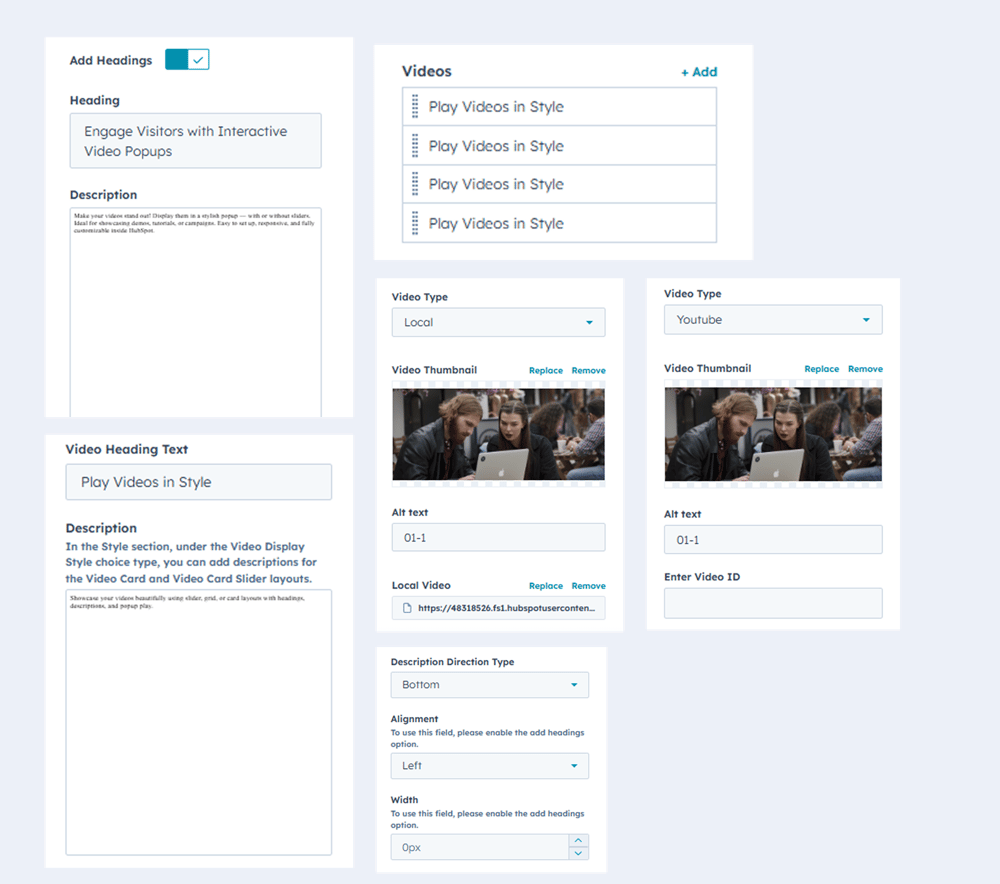
1. Content Tab-
Manage all text elements: titles and descriptions.
-
Add multiple videos.
-
Set up video popups with YouTube or custom videos.
-
Control text alignment for headings and descriptions.
- Manage width headings, descriptions
2. Style Tab
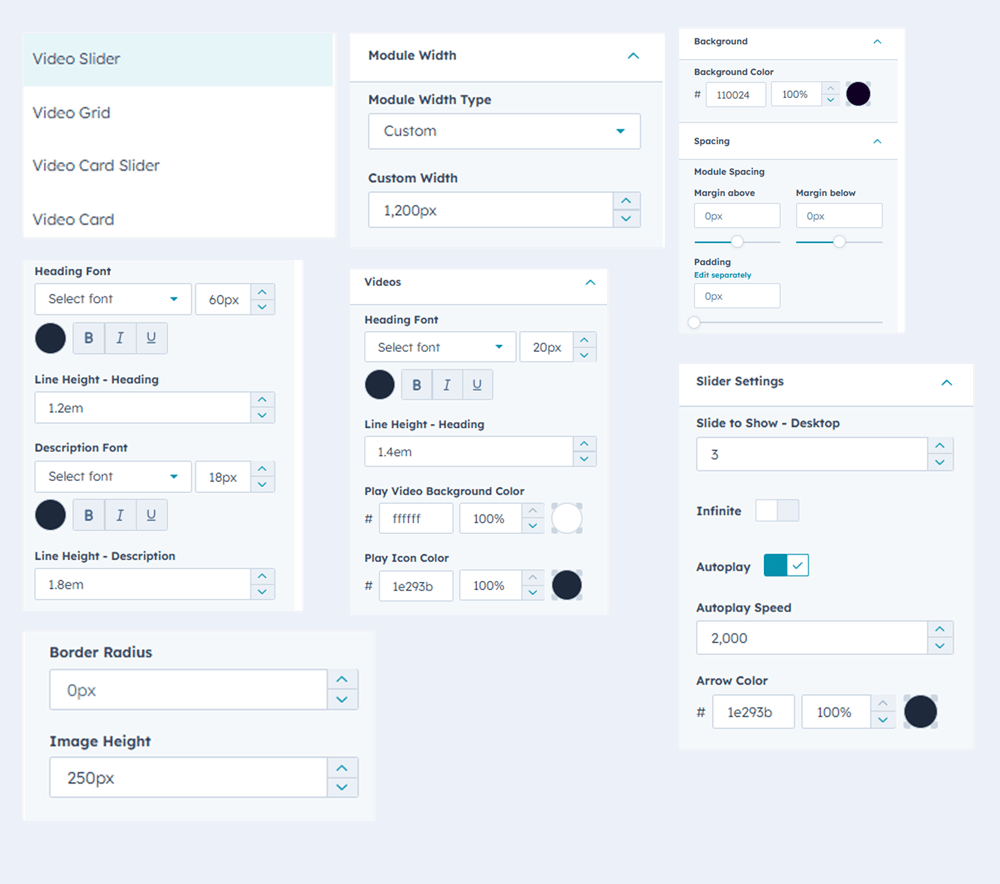
- Choose layout: Video slider, Video grid, Video card slider, video card
- Add background color
- Adjust module width
- Fully Customizable – Adjust colors, text, and layouts to match your brand.
- Adjust image height for video thumbnails.
- Configure slider settings: autoplay, infinite, speed, arrows, and slides to show.
6. Examples / Demo Preview
View the module in action: https://www.modfrybus.shop/video-popup-showcase
7. Support & Contact
For questions or support, contact us at productqueriemodfrybus@outlook.com We’re happy to help!