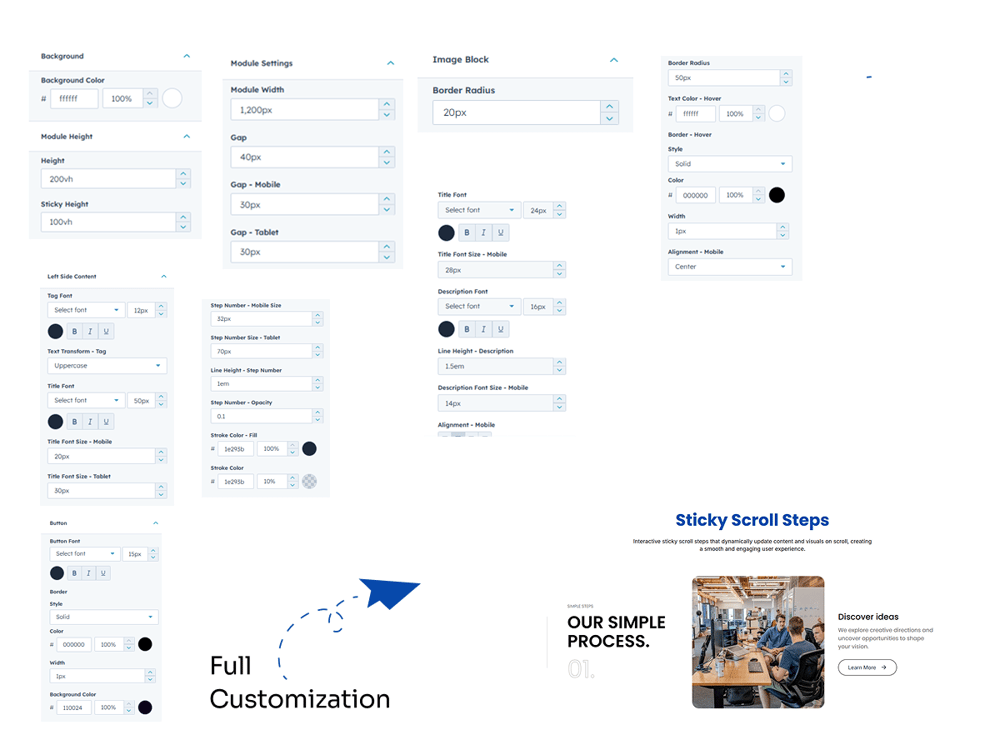
Sticky Scroll Steps is an interactive module that displays content step by step. As users scroll, the progress line fills while step numbers, images, and content update smoothly. It is fully responsive and works seamlessly across all devices.
5. Module Settings Guide
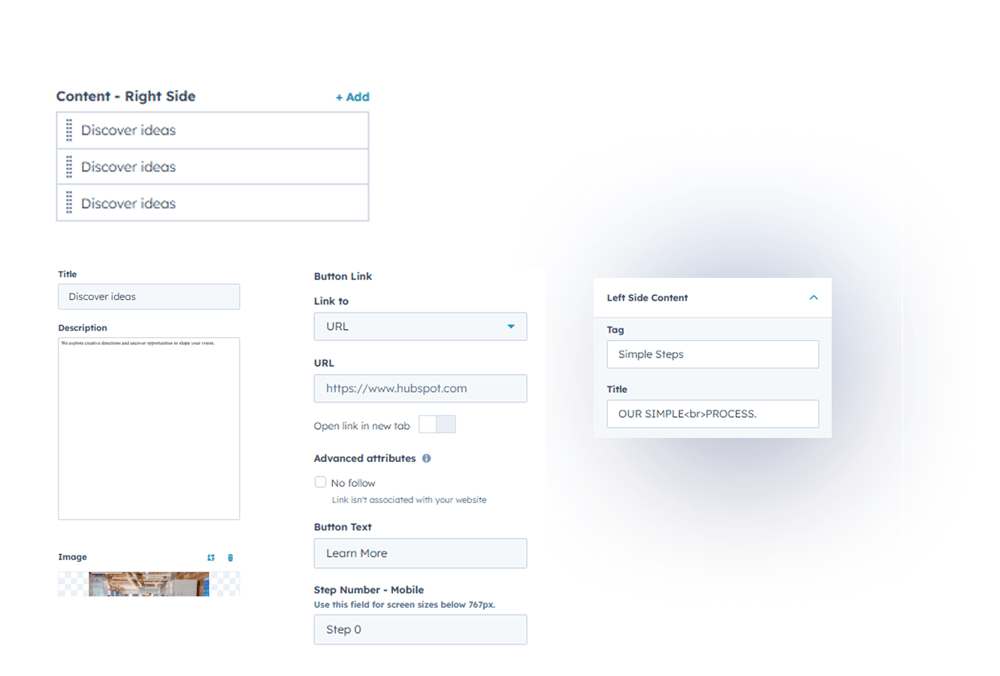
1. Content Tab-
Left Side Content Customization:
Customize tag, title for the left section.
-
Right Side Steps Management:
Add, edit, and manage multiple steps easily.
-
Content Customization:
Customize title, description, image, button.
-
Mobile Settings:
Edit step number for better mobile responsiveness.
2. Style Tab
-
Background:
Set the background color of the module.
-
Module Height:
Adjust sticky height and overall module height.
-
Module Settings:
Control module width and spacing (gap) for desktop, tablet, and mobile.
-
Left Side Content:
Customize tag and title with text transform, font size, color, and font family.
Adjust step number font, size for desktop, tablet, and mobile, line height, and opacity.
-
Progress Line:
Customize stroke color and fill color of the progress line.
-
Image Settings:
Adjust border radius and object fit (cover or contain) for desktop view.
-
Right Side Content:
Customize title and description with font size, color, font family, and line height.
Set mobile font size and alignment.
-
Button Customization:
Adjust font size, text color, border, border radius, and hover background and border color.