Smart Circle Info module Showcase key information with interactive circles, hover-based content, and flexible left/right layouts for a clean, modern, and engaging design.
Smart Circle Info Documention
1. Introduction (Overview)
2. Key Features
- Reverse Layout Option: Easily switch the positions of content and circle elements.
- Icon-Based Circles with Hover Content: Icons appear inside circles, and additional information is revealed on hover.
- Content Support: Add a heading, description, feature list, and button.
- Multiple Circle Support: Add multiple circles to highlight several features or messages.
- Custom & HubSpot Icon Support: Choose between custom uploaded icons or HubSpot’s built-in icon library.
- Fully Customizable: Customize layouts, styles, and features to perfectly fit your website.
- Responsive Design: Fully responsive layout that works seamlessly on all devices.
3. Installation – Downloading the Module from HubSpot Marketplace
- Log in to your HubSpot account.
- Go to the Marketplace from the main navigation menu.
- Search for your module by name.
- Find the module in the results and click Install.
- If it’s a paid module, you can also click Buy Now to purchase and install directly.
4. How to Use – Adding the Module to Your Page
- Open your HubSpot page editor.
- Click on Add Module.
- Search for your module by name.
- Drag and drop the module into the desired section of your page.
-
Smart Circle Info Module: An interactive module to showcase key information using circles with icons. Hovering over each circle reveals related content. Flexible left/right layouts and reverse mode make it easy to design clean, modern, and engaging sections for features, services, or product highlights.
5. Module Settings Guide
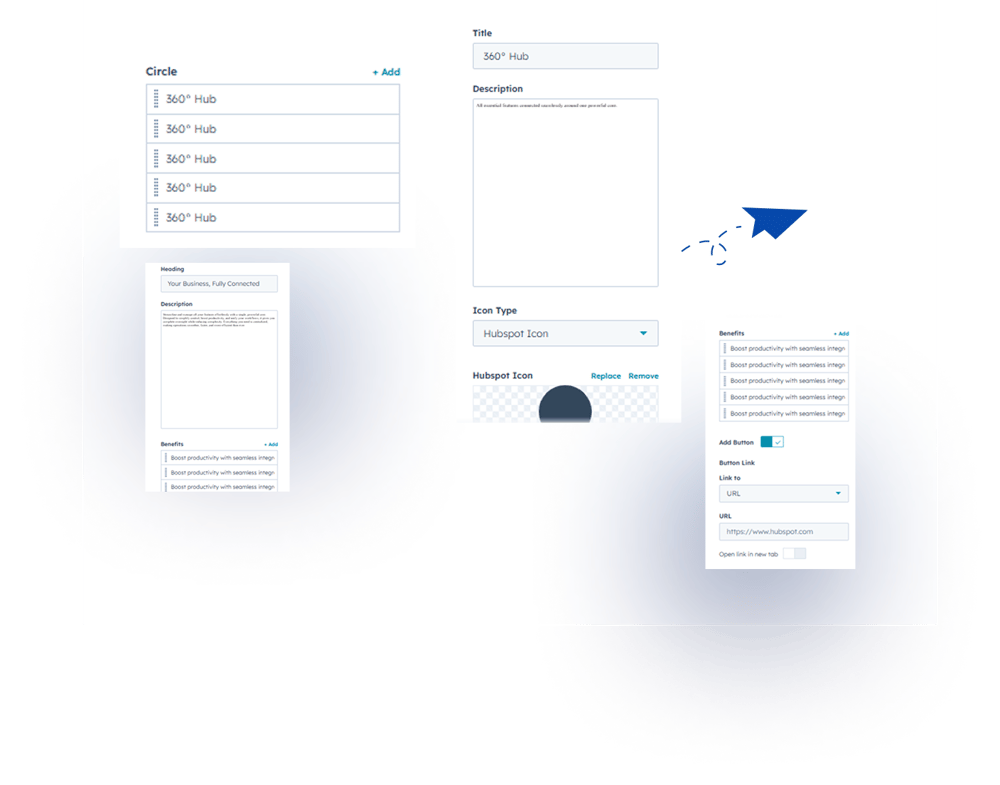
1. Content Tab- Multiple Circle Support: Add multiple circles to highlight several features or messages.
- Content Options: Add headings, descriptions, feature list and button.
2. Style Tab
- Module Width: Choose between custom or full width layout
- Module Spacing: Adjust padding and margin for proper spacing
- Full Circle Customization: Title font, description font, icon color, border color, spacing
- Left Side Content: Heading font, description font, button font, features list font & color
- Layout Direction: Left-to-right, right-to-left, or reverse
- Background Color: Fully customizable to match your design
.png?width=1000&height=752&name=Group%201000002194%20(1).png)
6. Examples / Demo Preview
View the module in action:https://www.modfrybus.shop/smart-circle-info
7. Support & Contact
For questions or support, contact us at productqueriemodfrybus@outlook.com We’re happy to help!