Skip to content

Service Cost Calculator Documention

1. Introduction (Overview)

The Service Cost Calculator offers clients instant, transparent pricing. Users configure their services, add-ons, and are free to add custom features at no extra cost, generating a real-time quote with a visual cost breakdown.

2. Key Features

  • Real-Time Calculation: Provides instant updates to the final price as options are changed.
  • Interactive Chart: Displays the Cost Breakdown Visualized (e.g., a pie chart), showing exactly how the total price is distributed across services, add-ons, and discounts.
  • Responsive Design: Works perfectly on mobile, tablet, and desktop devices.
  • Customizable Styling: Allows modification of colors, fonts, and layout to seamlessly match your brand identity.
  • Choose Any Extra Feature for Free: Claim Your Free Upgrades! Users have the flexibility to add any available extra features to their plan at absolutely zero additional cost.

3. Installation – Downloading the Module from HubSpot Marketplace

  • Log in to your HubSpot account.
  • Go to the Marketplace from the main navigation menu.
  • Search for your module by name.
  • Find the module in the results and click Install.
  • If it’s a paid module, you can also click Buy Now to purchase and install directly.

4. How to Use – Adding the Module to Your Page

  • Open your HubSpot page editor.
  • Click on Add Module.
  • Search for your module by name.
  • Drag and drop the module into the desired section of your page.
  • Service Cost Calculator module is fully responsive and lets clients instantly configure project costs, user counts, and add-ons, providing a real-time visual breakdown while allowing them to add any extra feature for free.


5. Module Settings Guide

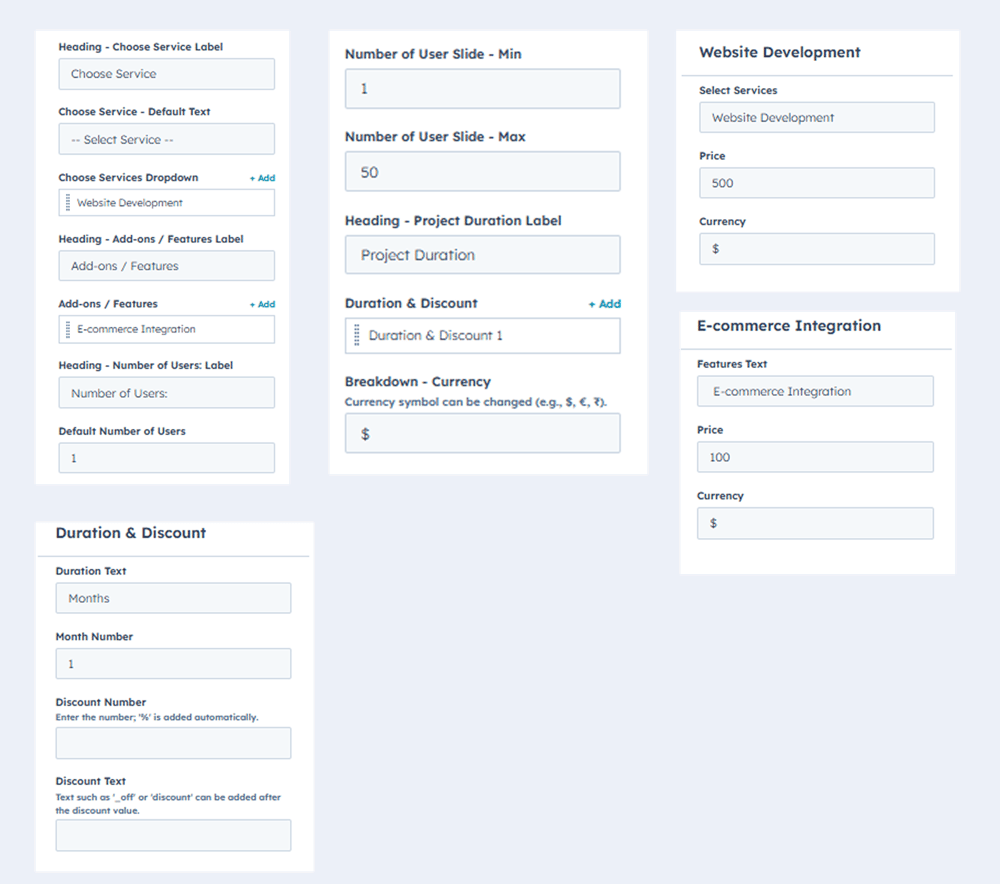
1. Content Tab

  • Select Services: Choose the main service offerings needed.
  • Add-Ons: Easily include extra features or premium packages.
  • User Count: Calculates costs based on the number of users or subscriptions.
  • Discounts: Apply custom codes and see the price change instantly.
  • Interactive Chart: Provides a clear, visual breakdown of all costs.
  • Real-Time Calculation: Price updates instantly with every selection change.
  • Responsive Design: Works perfectly across all devices (mobile, tablet, desktop)..
  • Customizable Styling: Change colors, fonts, and layout to match your brand.

Group 469428


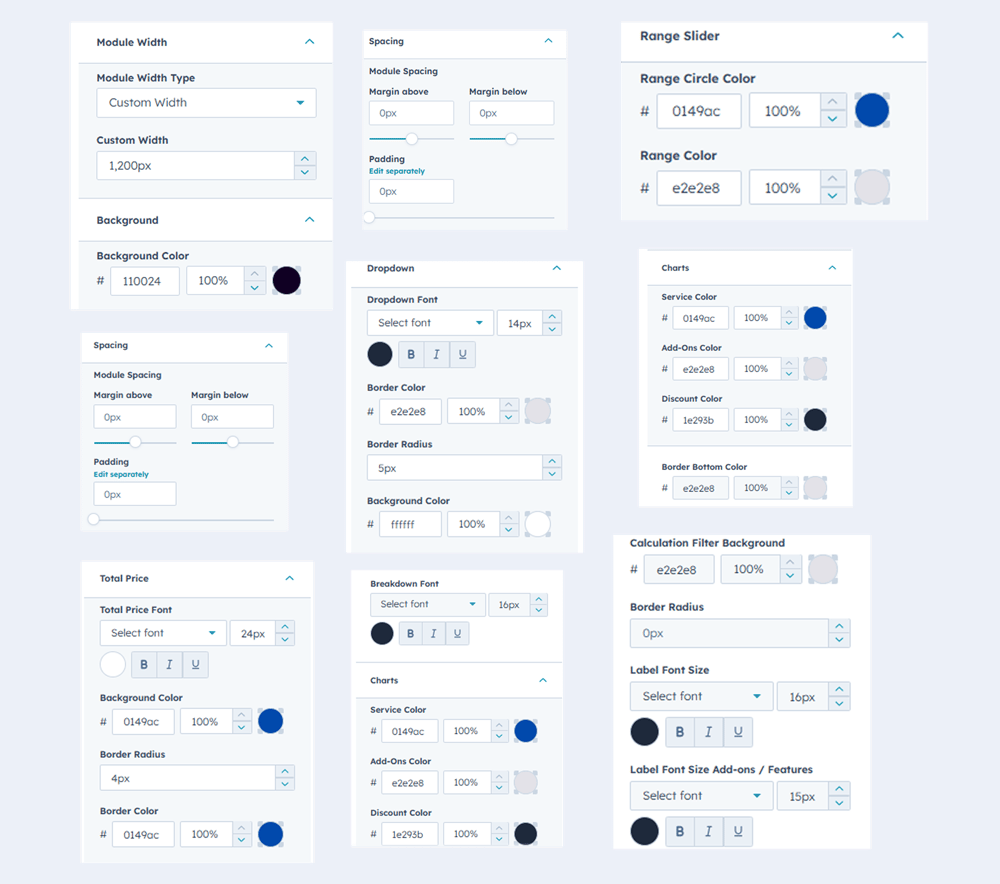
2. Style Tab

  • Custom Backgrounds –Use solid colors for personalized styling.
  • Adjust Module Width – Set the width of the module to fit your layout.
  • Fully Customizable – Modify colors, text, and layouts to match your brand. 
  • Module Spacing – Module Spacing Adjust padding and margins for perfect layout.
  • Dropdown Filters: Easily customize the styling of dropdown filters, including color, font, size, and background color.
  • Range Slider Control: Full customization capability for the range slider to meet your exact design needs.
  • Pie Chart Colors: Simple control to customize the colors of each segment of the pie chart to match your brand.
  • Breakdown Section: Effortlessly customize the entire look and feel of the cost breakdown section using simple tools.

Group 469429

6. Examples / Demo Preview

View the module in action: https://www.modfrybus.shop/service-cost-calculator

7. Support & Contact

For questions or support, contact us at productqueriemodfrybus@outlook.com We’re happy to help!