Sequential Video Lessons module boosts learning engagement by presenting videos in a sequential flow with full customization and layout direction. It requires zero code and is fully responsive on every device, converting to a mobile-friendly dropdown for smooth navigation.
Sequential Video Lessons Documention
1. Introduction (Overview)
Sequential Video Lessons module allows you to present videos one at a time in a structured order. The module offers full customization and lets you control the layout direction. It is fully responsive, automatically converting into a mobile-friendly dropdown on smaller screens to ensure smooth and easy navigation for all users.
2. Key Features
- Sequential Video Display – Show videos one by one in a smooth, structured flow.
- Supports YouTube & Custom Videos – Display content from YouTube or upload your own videos.
- Responsive Dropdown – On smaller screens, the video sequence converts into a dropdown for easier navigation.
- No Video Handling – Cannot be clicked if none are added.
- Toggle Titles & Descriptions – Show or hide video titles and descriptions as needed.
- Layout Direction – Choose normal or reverse order for video sequence.
- Responsive Design – Fully optimized for desktop, tablet, and mobile devices.
3. Installation – Downloading the Module from HubSpot Marketplace
- Log in to your HubSpot account.
- Go to the Marketplace from the main navigation menu.
- Search for your module by name.
- Find the module in the results and click Install.
- If it’s a paid module, you can also click Buy Now to purchase and install directly.
4. How to Use – Adding the Module to Your Page
- Open your HubSpot page editor.
- Click on Add Module.
- Search for your module by name.
- Drag and drop the module into the desired section of your page.
-
5. Module Settings Guide
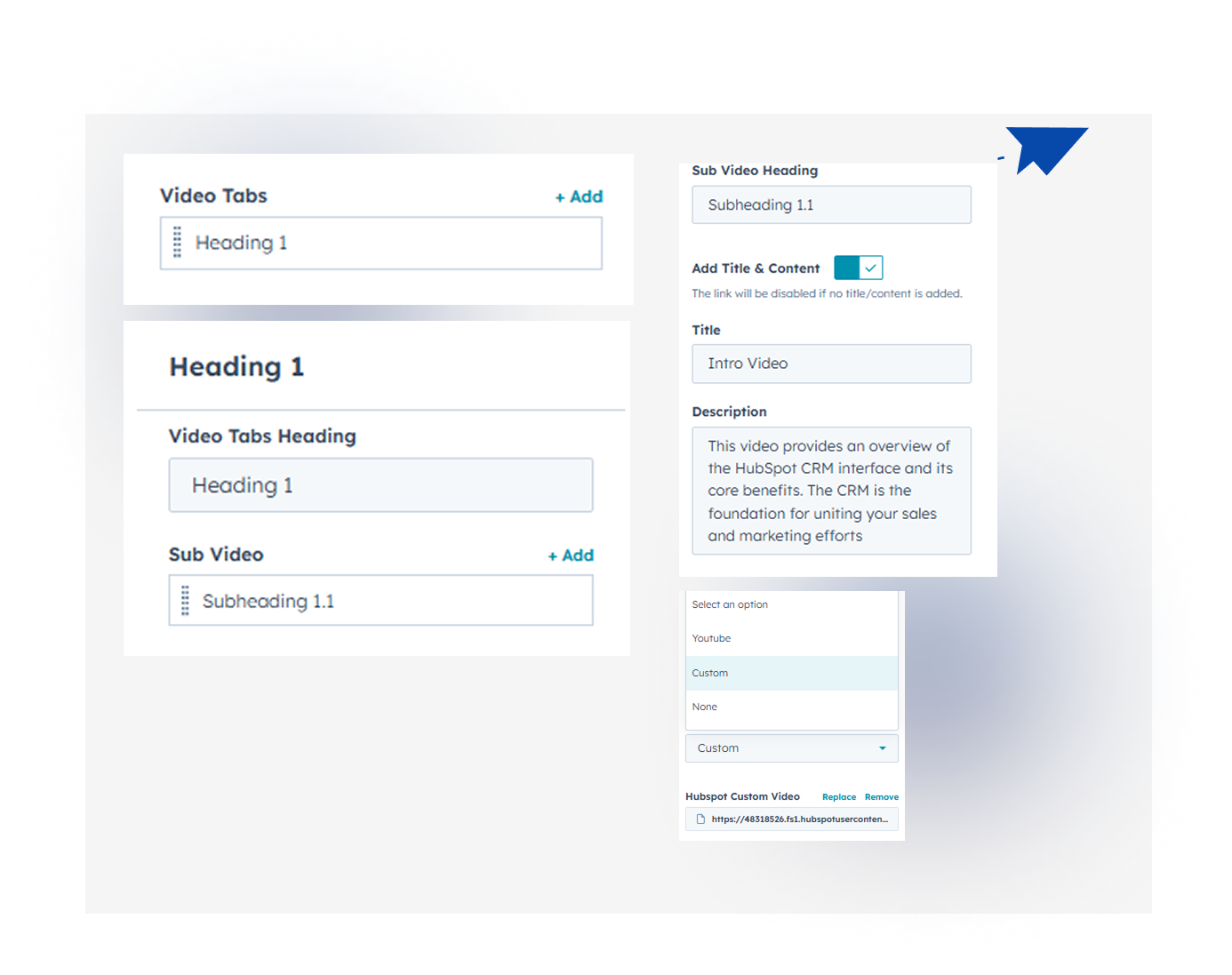
1. Content Tab- Sequential Video Display: Show videos one by one in a smooth, structured sequence.
- Edit & Toggle Title & Description: Easily customize and show or hide video titles and descriptions.
- Display YouTube, Custom, or No Videos: Seamlessly showcase YouTube or custom videos, or hide sections when empty.
2. Style Tab
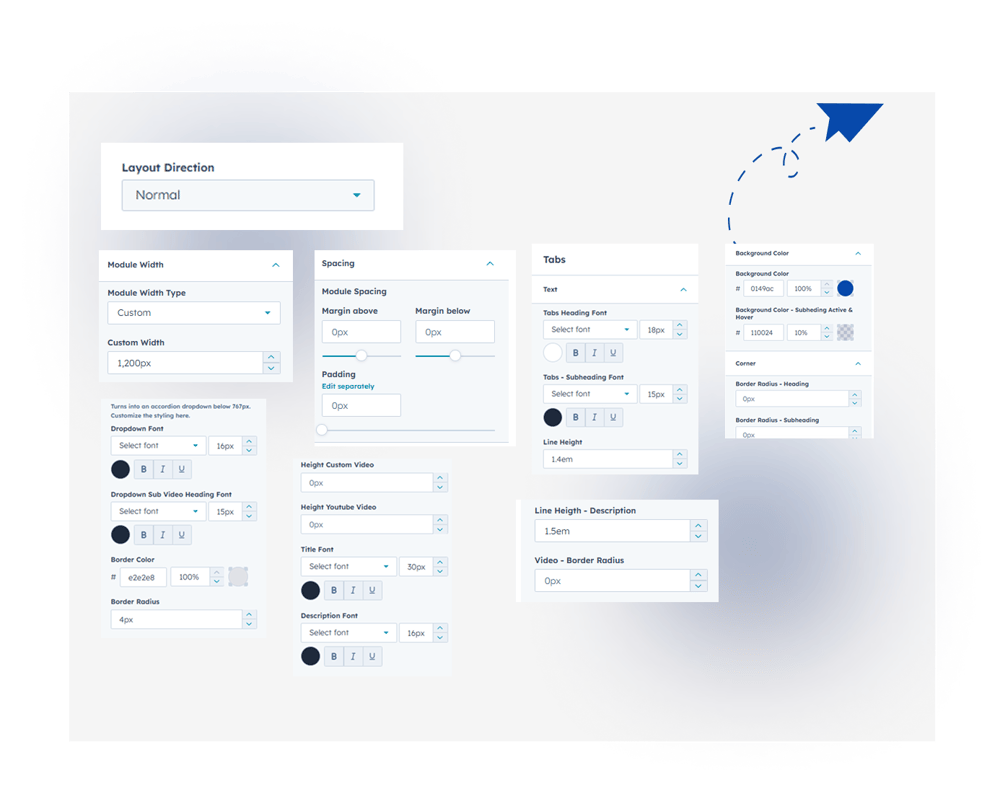
- Layout Direction - Choose normal or reverse order for the video sequence layout.
- Video Sequence Customization - Fully customize text, background color, borders, and corners etc.
- Video Height Customization - Adjust the height of videos
- Responsive Dropdown Customization - Customize font, borders, and style for mobile-friendly dropdown.
- Title & Description Customization - Easily style video titles and descriptions for a polished look.
- Responsive Design: Works perfectly across all devices (mobile, tablet, desktop)..
6. Examples / Demo Preview
View the module in action: https://www.modfrybus.shop/sequential-video-lessons
7. Support & Contact
For questions or support, contact us at productqueriemodfrybus@outlook.com We’re happy to help!