Skip to content

Ribbon Cards Documention

1. Introduction (Overview)

Ribbon Cards is a fully responsive module featuring multiple ribbon-style card layouts. It lets you highlight content with clean, modern designs, perfect for showcasing services, features, steps, or important information.

2. Key Features

  • Multiple Ribbon-Style Layouts — Choose from various card designs featuring unique ribbon corners and visual styles.
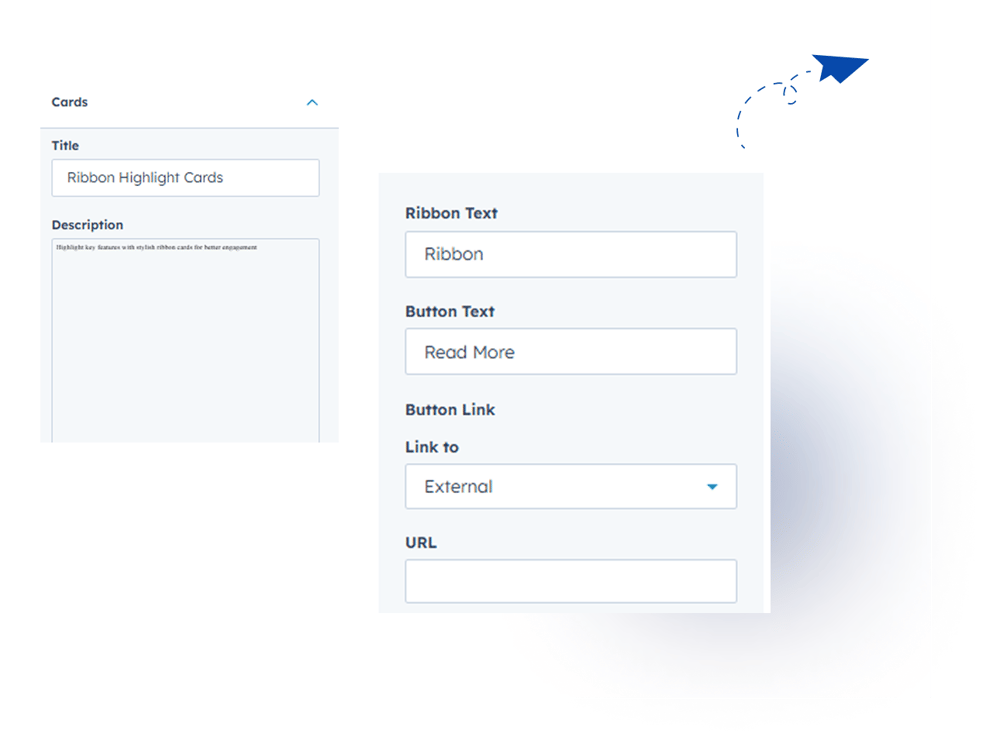
  • Customize Card Content — Edit headings, descriptions, and button within the card.
  • Easy Styling Controls — Adjust colors, ribbon appearance, ribbon color, font, title, description, and button color & font size without needing code.
  • Fully Responsive Slider — Smooth performance across desktop, tablet, and mobile.

3. Installation – Downloading the Module from HubSpot Marketplace

  • Log in to your HubSpot account.
  • Go to the Marketplace from the main navigation menu.
  • Search for your module by name.
  • Find the module in the results and click Install.
  • If it’s a paid module, you can also click Buy Now to purchase and install directly.

4. How to Use – Adding the Module to Your Page

  • Open your HubSpot page editor.
  • Click on Add Module.
  • Search for your module by name.
  • Drag and drop the module into the desired section of your page.
  • Ribbon Cards is a fully responsive module with multiple ribbon-style card layouts. Highlight headings and descriptions with clean, modern designs. Fully customizable text, colors, ribbon, font, and button styles. Ideal for services, features, steps, or highlights.


5. Module Settings Guide

1. Content Tab 

  • Customize Card Content — Edit headings, descriptions, and button within the card.

Group 1000002155

2. Style Tab

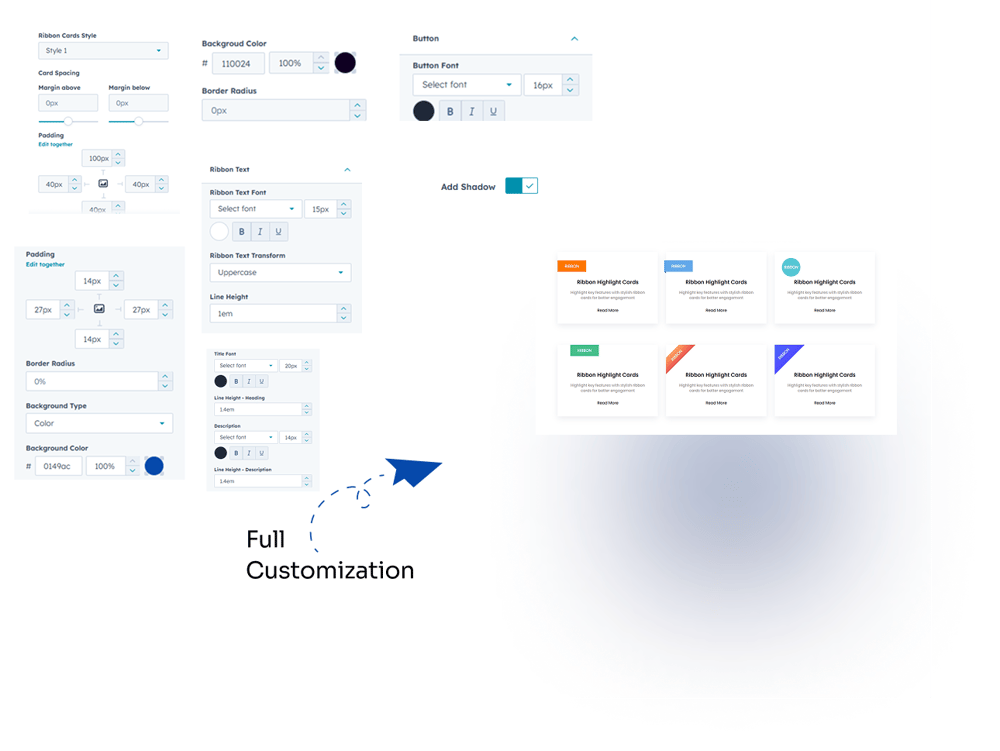
  • Multiple Ribbon Styles: Supports more than one ribbon-style variation.
  • Card Customization: Adjust spacing, background color, and border radius.
  • Ribbon Text: Customize font, text transform (uppercase, lowercase, capitalize), line height, and spacing.
  • Title & Description: Control font, color, size, and line height.
  • Button Customization: Adjust font, color, and size.
  • Card Shadow: Optional shadow effect for cards.
  • Fully Customizable - Adjust card colors, typography, shadows, and spacing.
  • Responsive Design - Works seamlessly on desktop, tablet, and mobile.
Group 1000002153

6. Examples / Demo Preview

View the module in action: https://www.modfrybus.shop/ribbon-cards

7. Support & Contact

For questions or support, contact us at productqueriemodfrybus@outlook.com We’re happy to help!