Skip to content

Pricing Comparison Table Documention

1. Introduction (Overview)

The Pricing Comparison Table module lets you create a clean and user-friendly pricing section where users can easily compare plans, view features, and choose the best option with confidence.

2. Key Features

  • Switch between monthly and yearly pricing
  • Sticky header for easy comparison while scrolling
  • Add up to five pricing plans
  • Organized feature lists with accordion support
  • Highlight your most important plan
  • Add call-to-action buttons for each plan
  • Fully responsive across all devices
  • Customize features with icons or custom text

3. Installation – Downloading the Module from HubSpot Marketplace

  • Log in to your HubSpot account.
  • Go to the Marketplace from the main navigation menu.
  • Search for your module by name.
  • Find the module in the results and click Install.
  • If it’s a paid module, you can also click Buy Now to purchase and install directly.

4. How to Use – Adding the Module to Your Page

  • Open your HubSpot page editor.
  • Click on Add Module.
  • Search for your module by name.
  • Drag and drop the module into the desired section of your page.
  • The Pricing Comparison Table module helps you build a clean and easy-to-understand pricing section where users can quickly compare different plans. With features like a monthly and yearly toggle, sticky headers, and organized feature lists, it makes browsing simple and smooth.

    You can add multiple plans, highlight your recommended option, and include clear call-to-action buttons to guide users toward the right choice.
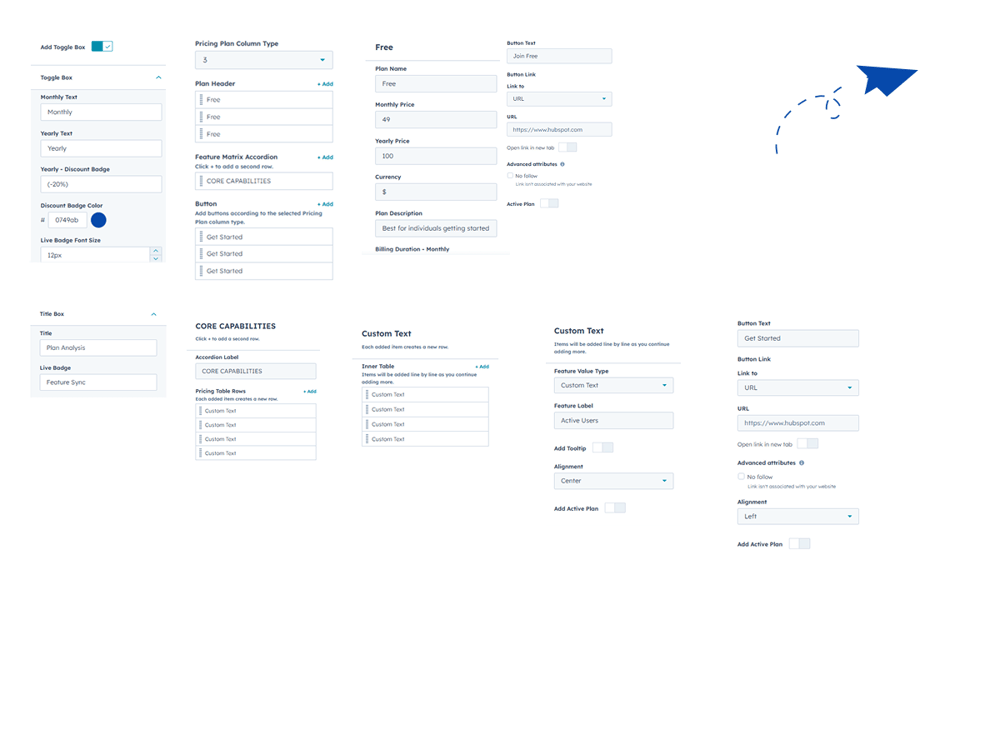


5. Module Settings Guide

1. Content Tab 

  • Toggle Visibility Control

    Easily show or hide the pricing toggle option anytime

  • Flexible Title Placement

    Add a custom title beside your pricing plans section

  • Adjustable Pricing Columns

    Choose and manage between 2 to 5 pricing columns

  • Custom Plan Headers

    Add and edit headers for each pricing plan easily

  •  Accordion Feature Sections

    Organize features neatly using accordion layout

  • Tooltip Support

    Add helpful tooltips to explain features clearly to users

  •  Individual Plan Buttons

    Add separate call-to-action buttons for each plan

  • Detailed Feature Tables

    Show detailed features inside accordion table layout


Group 1000002324

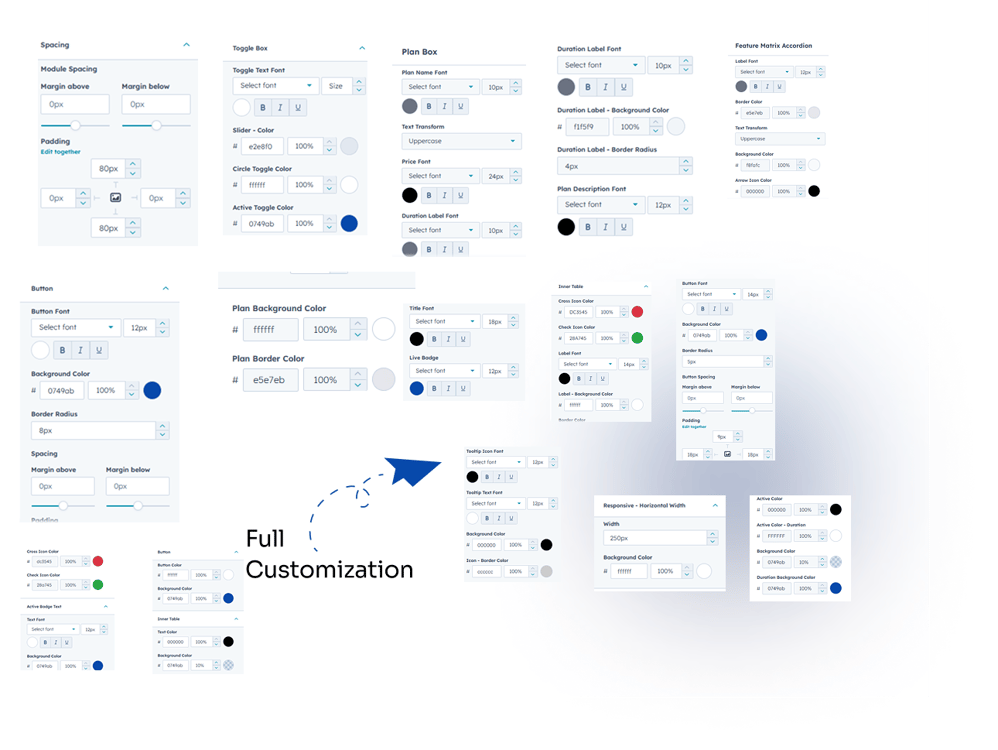
2. Style Tab

  • Module Spacing Control

    Adjust spacing around the module for better layout

  • Toggle Box Styling

    Customize colors, fonts, and slider appearance easily

  • Plan Box Design Options

    Style plan text, pricing, buttons, and backgrounds

  • Title Box Customization

    Edit title size, colors, and live badge styling

  • Accordion Style Settings

    Control labels, colors, borders, and arrow icons

  • Table & Row Styling

    Customize rows, icons, labels, and button styles text color size 

  • Tooltip Customization

    Adjust icon, font, colors, and tooltip background

  • Active Plan Highlighting

    Style active plan colors, text, and full elements


Group 1000002323


6. Examples / Demo Preview

View the module in action:https://www.modfrybus.shop/pricing-comparison-table

7. Support & Contact

For questions or support, contact us at productqueriemodfrybus@outlook.com We’re happy to help!