Grab attention with the Notification Announcement Bar! Create high-converting countdowns, sticky headers, or footer alerts in seconds. Fully responsive with smart cookie control to reach your audience without being intrusive. Simple & effective!
5. Module Settings Guide
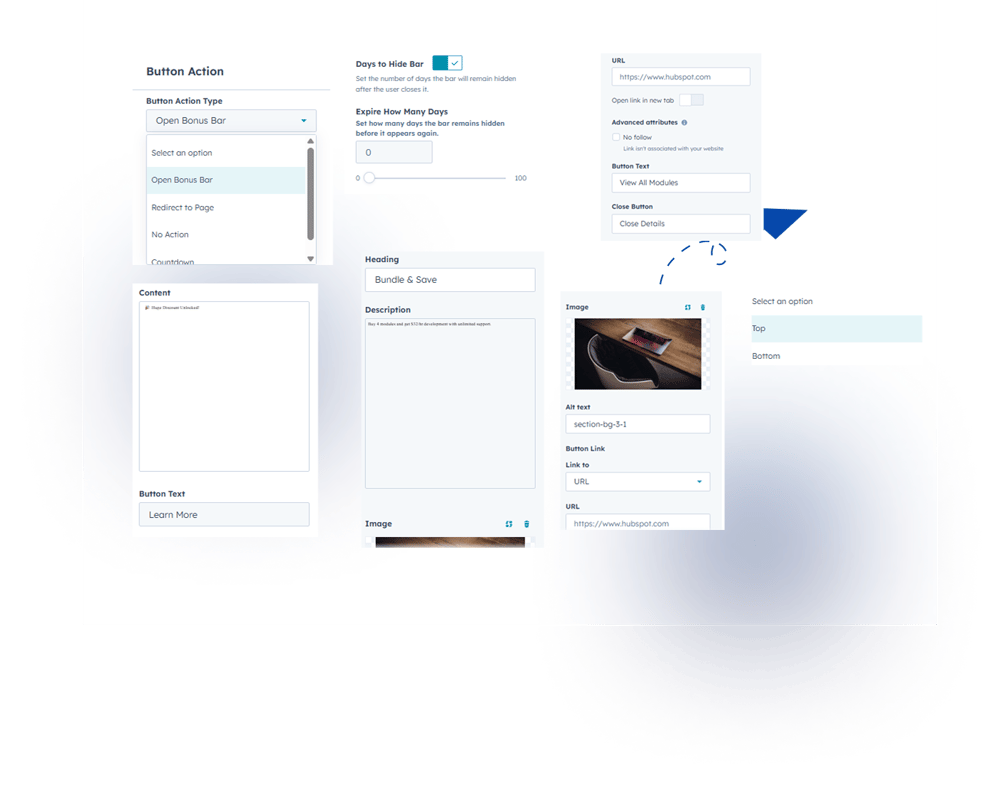
1. Content Tab- Multiple Action Types: Choose to show a bonus bar, a countdown timer, or a direct link to another page.
- Flexible Positioning: Stick your bar to the top or bottom of the screen with just one click.
- Smart Cookie Control: Set exactly how many days to wait before showing the bar again to a returning visitor.
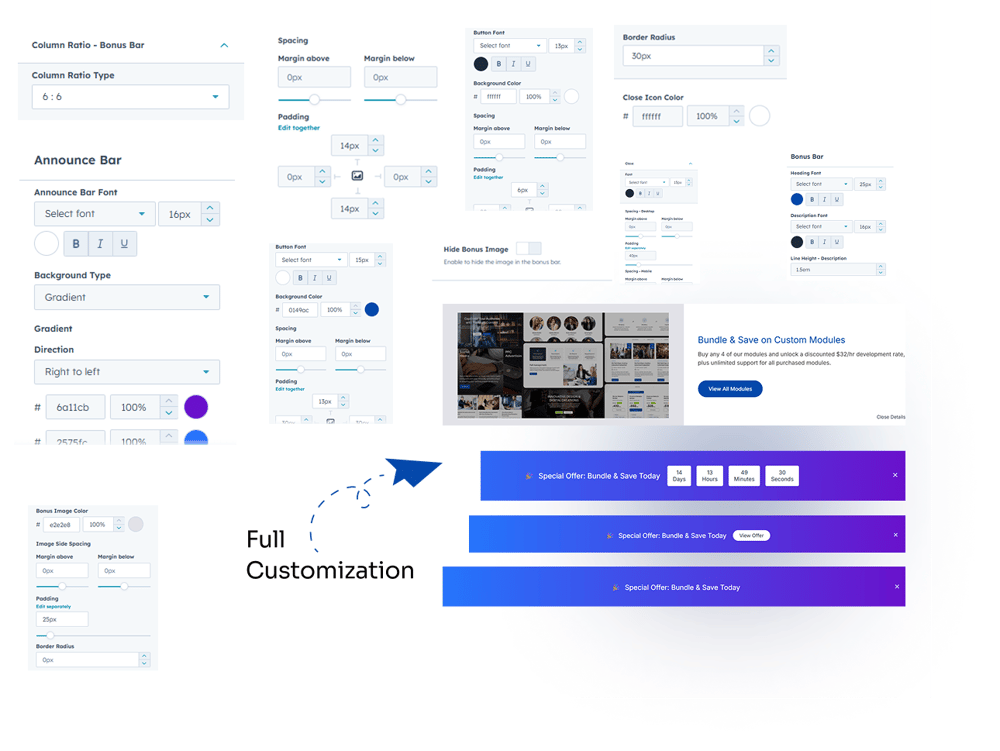
2. Style Tab
1. Announce Header Bar (Main Styling)
- Background Type: Choose between a clean Solid Color or a modern Gradient (dual-color) background.
- Typography: Full control over the Font selection to match your website’s branding.
- Spacing: Adjust the internal Padding (top and bottom) to control the height of the bar.
- Border Bottom: Add a customizable Border Color at the bottom to create a sharp separation from your site content.
2. Bonus Bar Styling
- Content Customization: * Heading & Description Fonts: Set unique fonts for both the title and the body text.
- Line Height: Adjust the spacing between text lines for better readability on all devices.
- Image Controls:
- Image Color & Side Spacing: Customize the image tones and set margins around the visual.
- Border Radius: Round the corners of your images for a modern, soft look.
- Object-Fit Type: Choose how the image fills the space (Cover, Contain, or Fill) to avoid stretching.
- Mobile Image Size: Set a specific size for images on mobile to save screen real estate.
- Hide Image Option: A simple toggle to instantly hide the image and switch to a text-only layout.
3. Button Customization (CTA)
- Typography: Choose a specific Font for your button text to make it stand out.
- Background Color: Set a high-contrast color for your buttons to increase clicks.
- Spacing (Padding): Control the thickness and width of your buttons.
- Border Radius: Adjust the corners to make buttons either sharp (square) or rounded (pills).
4. Layout & Icons
- Column Ratio Type: Manually set the width ratio between your text, buttons, and images for a perfectly balanced layout.
- Close Icon Color: Fully customize the color of the 'X' (dismiss) icon to ensure it's visible against your background.