Skip to content

Flexible Blog Filter Documention

1. Introduction (Overview)

The Flexible Blog Filter module lets users easily find and explore blog posts with tag, date range, and sort filters, plus pagination and a reset option for a smooth, user-friendly browsing experience.

2. Key Features

  • Tag-Based Filtering
  • Filter blog posts using selected tags.
  • Date Range Filter
  • Show posts by choosing from and to dates.
  • Newest & Oldest Sorting
  • Sort posts in newest or oldest order.
  • Manual Post Selection
  • Choose specific blog posts to display when needed.
  • Pagination Support
  • Display posts with pagination and control how many posts appear per page.
  • Post Count Display
  • Shows the number of visible posts (e.g., “Showing 2 of 2 posts”).
  • Reset Filters Option
  • Clear all applied filters with a single click.

3. Installation – Downloading the Module from HubSpot Marketplace

  • Log in to your HubSpot account.
  • Go to the Marketplace from the main navigation menu.
  • Search for your module by name.
  • Find the module in the results and click Install.
  • If it’s a paid module, you can also click Buy Now to purchase and install directly.

4. How to Use – Adding the Module to Your Page

  • Open your HubSpot page editor.
  • Click on Add Module.
  • Search for your module by name.
  • Drag and drop the module into the desired section of your page.
  • The Flexible Blog Filter module helps users quickly and easily find the blog posts they are looking for. It allows filtering posts by tags, date range, and sorting options such as newest or oldest. With pagination and a reset filters option, users can navigate through content smoothly without reloading the page.


5. Module Settings Guide

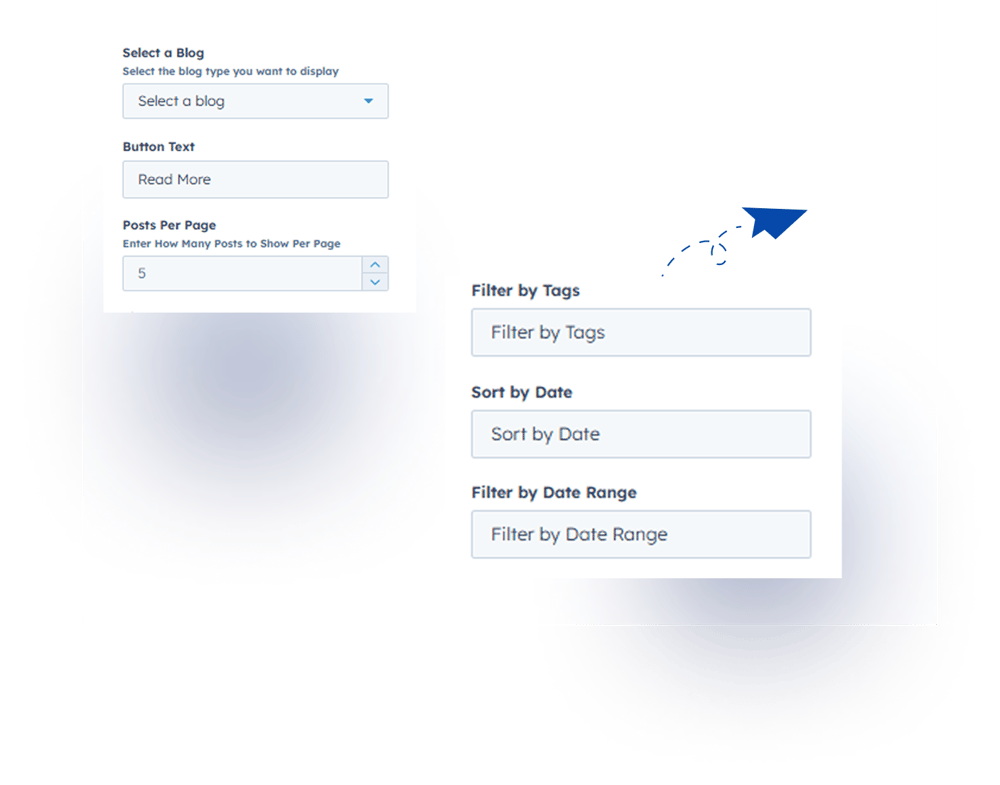
1. Content Tab 

  • Select a Blog Post
    Manually choose which blog posts to display on your page.
  • Filter Labels Update
    Easily edit and update filter labels for better clarity.
  • Pagination Support
    Display posts with pagination for smooth navigation.
  • Button Text Customization
    Change the text of buttons for blog posts as needed.

Group 1000002205

2. Style Tab

  • Module Width: Choose between Custom Width or Full Width for the module.
  • Module Spacing: Adjust spacing (margin & padding) around the module.
  • Filter Tags & Sort Date: Customize label font, tags font color & size, checkbox color & active color, sidebar color, border radius, date range font & background color.
  • Sidebar Height: Set sidebar height separately for desktop and tablet views.
  • Blog Post Styling: Customize title (font, color, size) Description, date, tags, and button styles
    Image height, background corner radius, border, and read time display.
  • Pagination Styling: Adjust font color, background color, and border color.
  • Live Counter & Reset Icon: Customize font color for live counter and reset icon color.
  • Filter Bar Responsive Settings: Adjust font, icon color, background color, and border radius for mobile and tablet views.


    Group 1000002202 (2)

6. Examples / Demo Preview

View the module in action:https://www.modfrybus.shop/flexible-blog-filter

7. Support & Contact

For questions or support, contact us at productqueriemodfrybus@outlook.com We’re happy to help!