The Expandable Info Cards clean, interactive card module where content expands on click with smooth animation—perfect for showcasing key info in a compact layout fully responsive and easy to style.
Expandable Info Cards Documention
1. Introduction (Overview)
2. Key Features
- Add Multiple Cards: Create and manage as many info cards as you need—easy to add, edit, or reorder.
- Expandable Card Interaction: Cards expand on click with a smooth reveal animation, keeping the layout neat and interactive.
- Cards Per Row Control: Choose how many cards to display in a row (1, 2, 3, or 4) for desktop, tablet, and mobile.
- Customizable Card Content: Each card supports title,index number, description and button.
- Fully Customizable: Adjust card colors, typography, shadows, and spacing.
- Fully Responsive Layout: Cards auto-adjust beautifully across desktop, tablet, and mobile.
3. Installation – Downloading the Module from HubSpot Marketplace
- Log in to your HubSpot account.
- Go to the Marketplace from the main navigation menu.
- Search for your module by name.
- Find the module in the results and click Install.
- If it’s a paid module, you can also click Buy Now to purchase and install directly.
4. How to Use – Adding the Module to Your Page
- Open your HubSpot page editor.
- Click on Add Module.
- Search for your module by name.
- Drag and drop the module into the desired section of your page.
-
Expandable Info Cards is a clean and interactive module where content expands on click with smooth animation—perfect for showcasing key information in a compact, user-friendly layout. Fully responsive and easy to style for any design.
5. Module Settings Guide
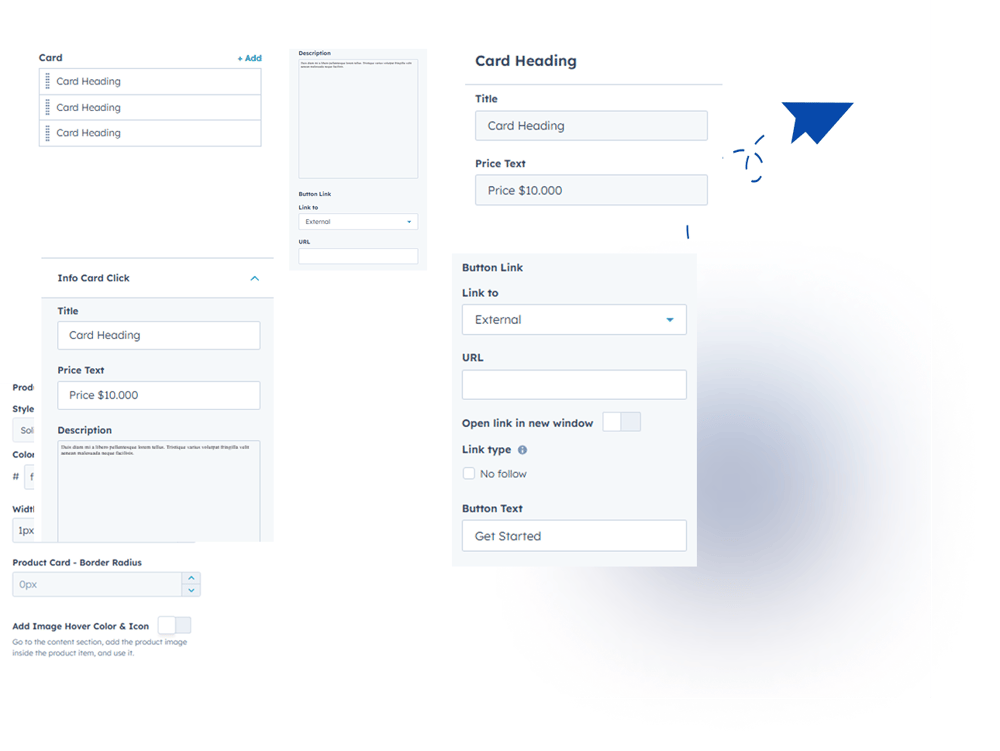
1. Content Tab- Add & Manage Multiple Cards — Easily create, add, and update multiple cards.
- Customize Card Content — Add or edit the title, description, button, and short text.
2. Style Tab
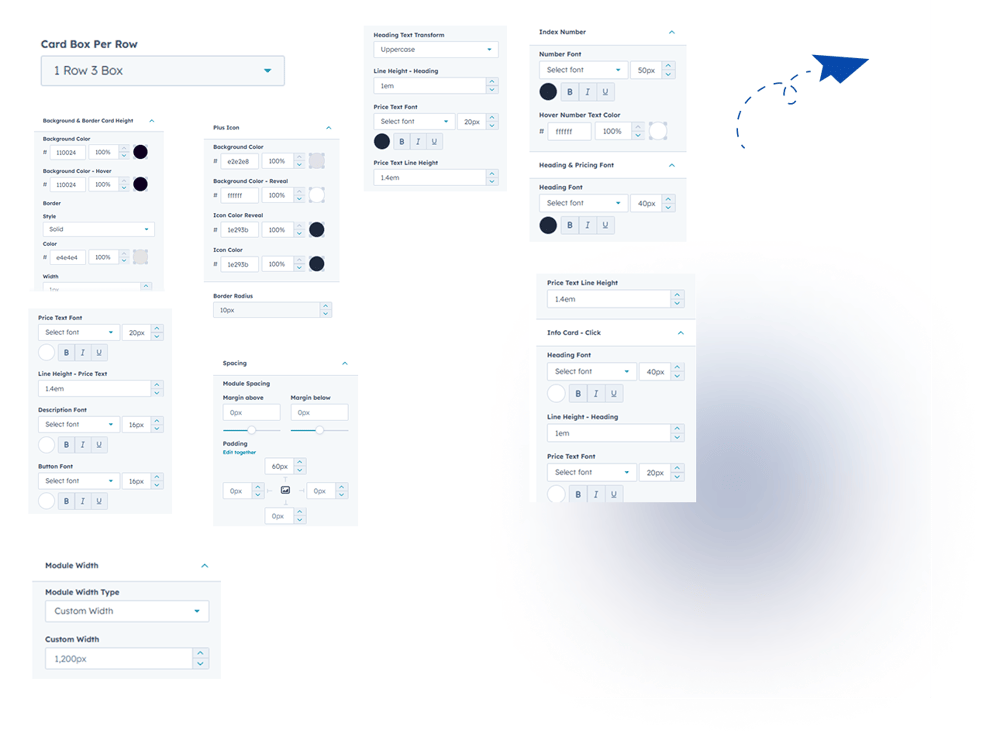
- Module Width – Choose between full-width or custom container layout.
- Module Spacing – Easily manage spacing for clean section design.
- Cards Per Row Control - Choose how many cards to display in a row (1, 2, 3, or 4) for desktop, tablet, and mobile.
- Typography Controls - Customize heading, description, and button fonts—size, color, and style.
- Card Background States - Set different background colors for normal and on-click active states.
- Adjustable Card Height - Easily change the minimum height of card.
- Plus Icon Styling- Fully customize the plus icon size, color and style.
- Index Number Styling- Modify index number font size, color, and typography.
- Fully Customizable - Adjust card colors, typography, shadows, and spacing.
- Responsive Design - Works seamlessly on desktop, tablet, and mobile.
6. Examples / Demo Preview
View the module in action: https://www.modfrybus.shop/expandable-info-cards
7. Support & Contact
For questions or support, contact us at productqueriemodfrybus@outlook.com We’re happy to help!