Case Study Pro Documention
1. Introduction (Overview)
Case Study Pro is a powerful and responsive HubSpot module designed to showcase your case studies in a professional and engaging way. With 4 unique layouts, including grid, slider, and interactive hover designs, you can present your success stories with titles, descriptions, categories, and dates. Easily customize every section using HubSpot's drag-and-drop editor—no coding required.
2. Key Features
- 4 Ready-to-Use Case Study Layouts
- Interactive Slider Layout
- Responsive Grid Layout
- Hover Content Animation
- Display Categories/Tags
- Project Title & Description
- Publish Date Support
- Fully Responsive Design
- Typography Controls
- Spacing & Layout Customization
3. Installation – Downloading the Module from HubSpot Marketplace
- Log in to your HubSpot account.
- Go to the Marketplace from the main navigation menu.
- Search for your module by name.
- Find the module in the results and click Install.
- If it’s a paid module, you can also click Buy Now to purchase and install directly.
4. How to Use – Adding the Module to Your Page
- Open your HubSpot page editor.
- Click Add Module.
- Search for Case Study Pro
- Open your HubSpot page or template in the Drag-and-Drop Editor.
- Search for Case Study Pro in the module library.
- Drag and drop the module onto your desired section.
- Select your preferred layout.
- Add your case study items, including title, description, tags, date, and image.
- Customize the styling and responsive settings as needed.
- Save your changes and publish the page.
5. Module Settings Guide
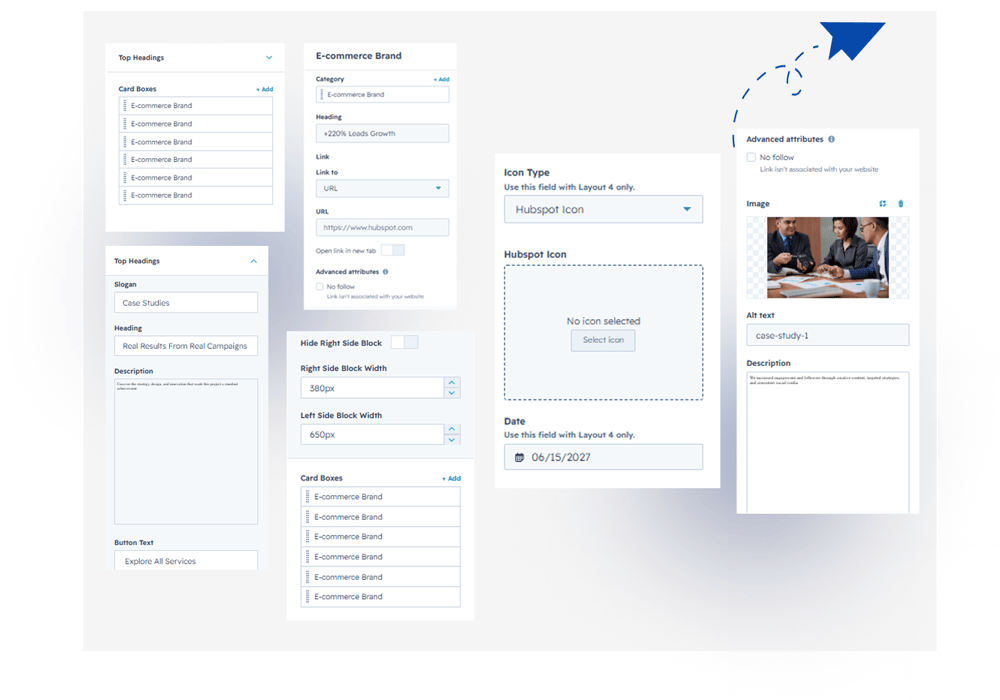
Content Tab:
- Top Content – Add and customize the slogan, heading, description, and button text.
- Content Visibility – Hide or show the right-side content block.
- Column Width – Adjust the width of the left and right content blocks.
- Case Study Cards – Add and manage unlimited case study cards.
- Card Content – Customize categories, title, description, link, featured image, icon type (HubSpot or custom), and publish date.
2. Style Tab
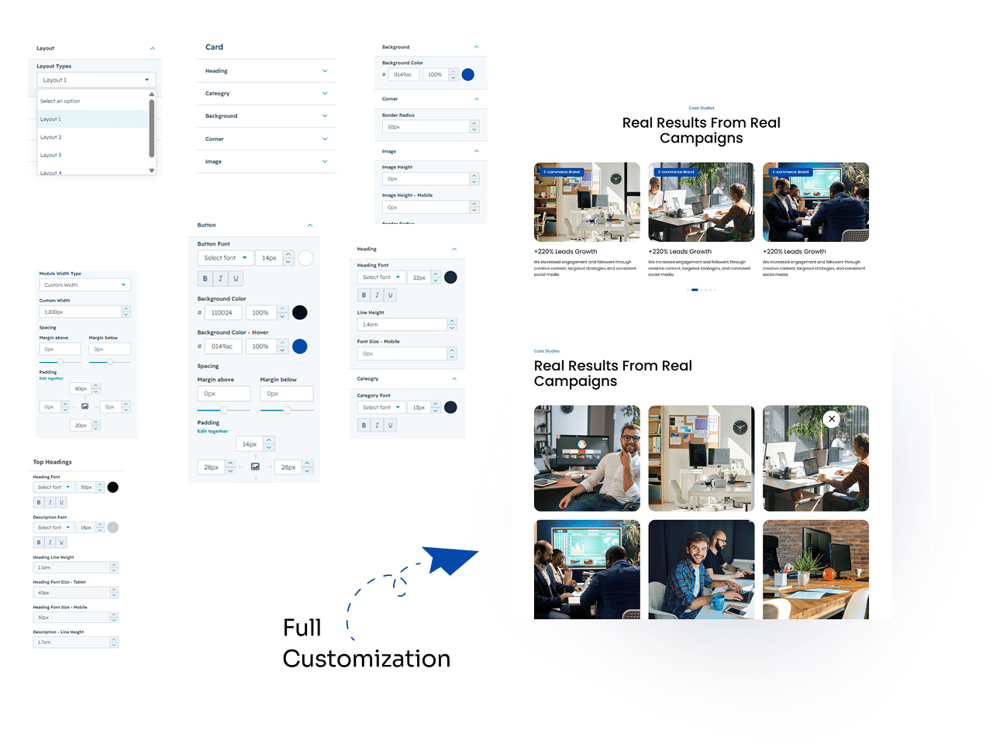
- Layout Type – Choose from multiple case study layout styles.
- Module Settings – Select Container or Full Width layout and customize spacing.
- Case Study Card – Customize the heading, category, background, image, date, icon, and arrow. Adjust colors, font size, mobile font size, line height, text transform (uppercase/lowercase), border radius, and image height for desktop and mobile.
- Top Content – Customize the top heading, slogan, and description with font size, mobile/tablet font size, color, and line height.
- Button – Customize button colors, font size, background, and hover colors.
6. Examples / Demo Preview
View the module in action: https://www.modfrybus.shop/case-study-pro
7. Support & Contact
For questions or support, contact us at productqueriemodfrybus@outlook.com We’re happy to help!