Skip to content

Carousel/Slider Navigation Documention

1. Introduction (Overview)

The Carousel/Slider Navigation module is an interactive image slider with smooth transitions and hover effects that reveal titles with mouse movement. Navigation arrows make it easy to explore, ideal for portfolios, galleries, and visual showcases.

2. Key Features

  • Multiple Images per Slide – Showcase several images in a single slide for richer content.
  • Adjustable Image Height – Customize the height of images to fit your layout.
  • Hover Title Display – Reveal image titles on hover with dynamic mouse-move effects.
  • Navigation Arrows – Easy manual navigation through the slider.
  • Unlimited Slides – Add as many slides as needed for your content.
  • Responsive Design – Optimized for desktop, tablet, and mobile devices.

3. Installation – Downloading the Module from HubSpot Marketplace

  • Log in to your HubSpot account.
  • Go to the Marketplace from the main navigation menu.
  • Search for your module by name.
  • Find the module in the results and click Install.
  • If it’s a paid module, you can also click Buy Now to purchase and install directly.

4. How to Use – Adding the Module to Your Page

  • Open your HubSpot page editor.
  • Click on Add Module.
  • Search for your module by name.
  • Drag and drop the module into the desired section of your page.
  • Carousel/Slider Navigation is a responsive, customizable image slider with hover titles, multiple images slide, adjustable height, navigation arrows, and unlimited slides.


5. Module Settings Guide

1. Content Tab

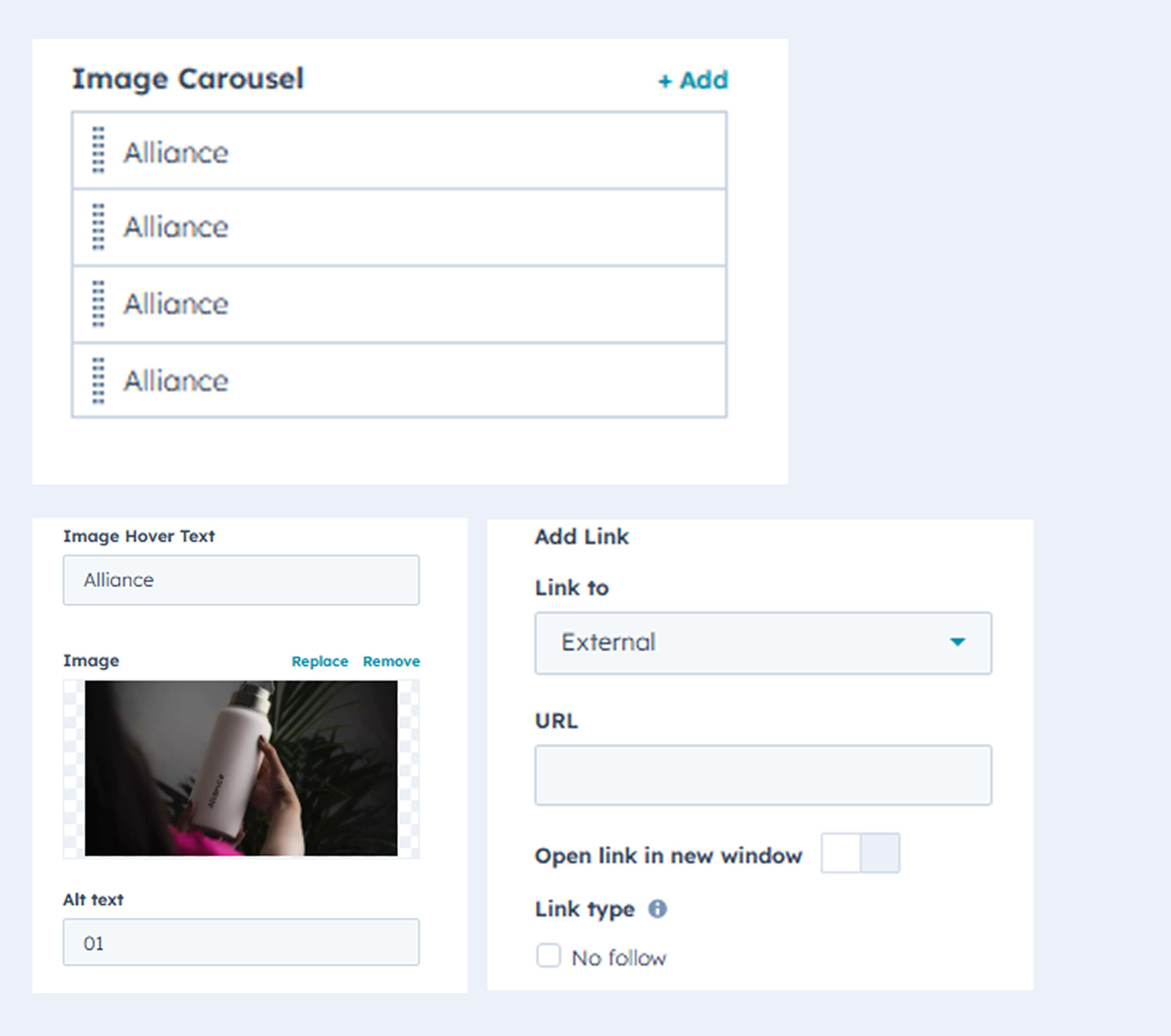
  • Manage all elements: hover title, image and add links for each slide.

  • Add multiple slide.


    Group 469411


2. Style Tab

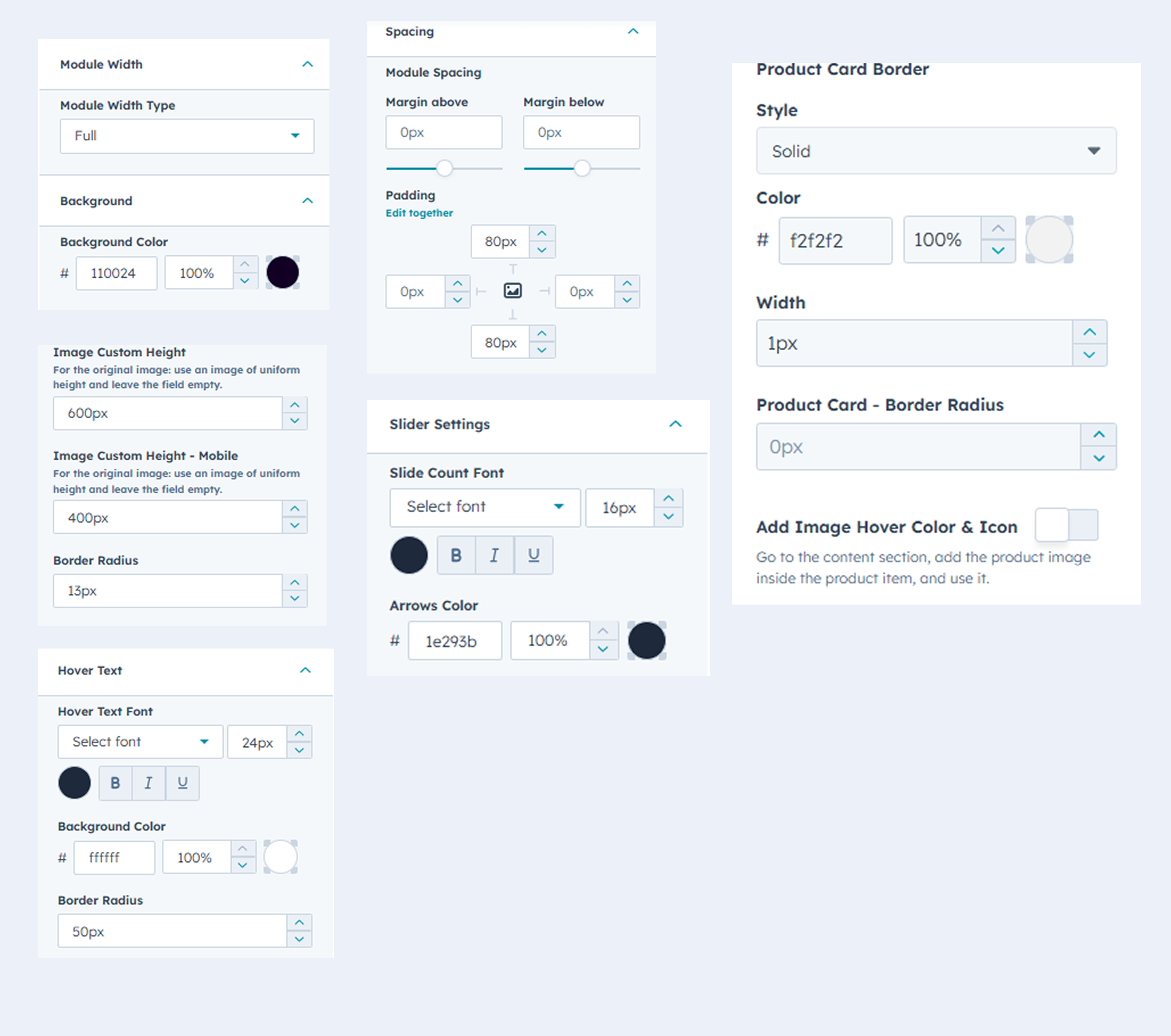
  • Custom Backgrounds –Use solid colors for personalized styling.
  • Adjust Module Width – Set the width of the module to fit your layout.
  • Fully Customizable – Modify colors, text, and layouts to match your brand. 
  • Adjustable Image Height – Customize image height separately for desktop and mobile.
  • Module Spacing – Module Spacing Adjust padding and margins for perfect layout.
  • Hover Text – Reveal titles on hover with customizable font color, background color, and border radius
Group 469412

6. Examples / Demo Preview

View the module in action: https://www.modfrybus.shop/carousel/slider-navigation

7. Support & Contact

For questions or support, contact us at productqueriemodfrybus@outlook.com We’re happy to help!