The Auto Popup Modal module boosts leads with targeted content and smart triggers. It is fully customizable across colors, fonts, and size. With zero code required, it is guaranteed to be fully responsive on every device.
Auto Popup Modal Documention
1. Introduction (Overview)
The Auto Popup Modal module maximizes leads by showing targeted content (Forms, videos) using smart triggers (Time, Scroll, Exit-Intent). It is fully customizable, requires zero code, and is fully responsive for any website.
2. Key Features
-
Smart Pop-up Timing: Choose the perfect moment to show your offer: use Exit-Intent, Time Delay, or Scroll Depth triggers.
-
Flexible Content: Easily add HubSpot Forms, YouTube videos, headings, or any custom text right into the pop-up.
-
Full Brand Match: Adjust colors, fonts, size, and the background to make the pop-up match your brand perfectly.
-
Close Button: Give users simple controls with a Close Button to easily dismiss the pop-up.
-
Zero Code & Full Responsive: Setup is simple with no coding required, and it's guaranteed to be fully responsive on all devices (mobile and desktop).
3. Installation – Downloading the Module from HubSpot Marketplace
- Log in to your HubSpot account.
- Go to the Marketplace from the main navigation menu.
- Search for your module by name.
- Find the module in the results and click Install.
- If it’s a paid module, you can also click Buy Now to purchase and install directly.
4. How to Use – Adding the Module to Your Page
- Open your HubSpot page editor.
- Click on Add Module.
- Search for your module by name.
- Drag and drop the module into the desired section of your page.
-
5. Module Settings Guide
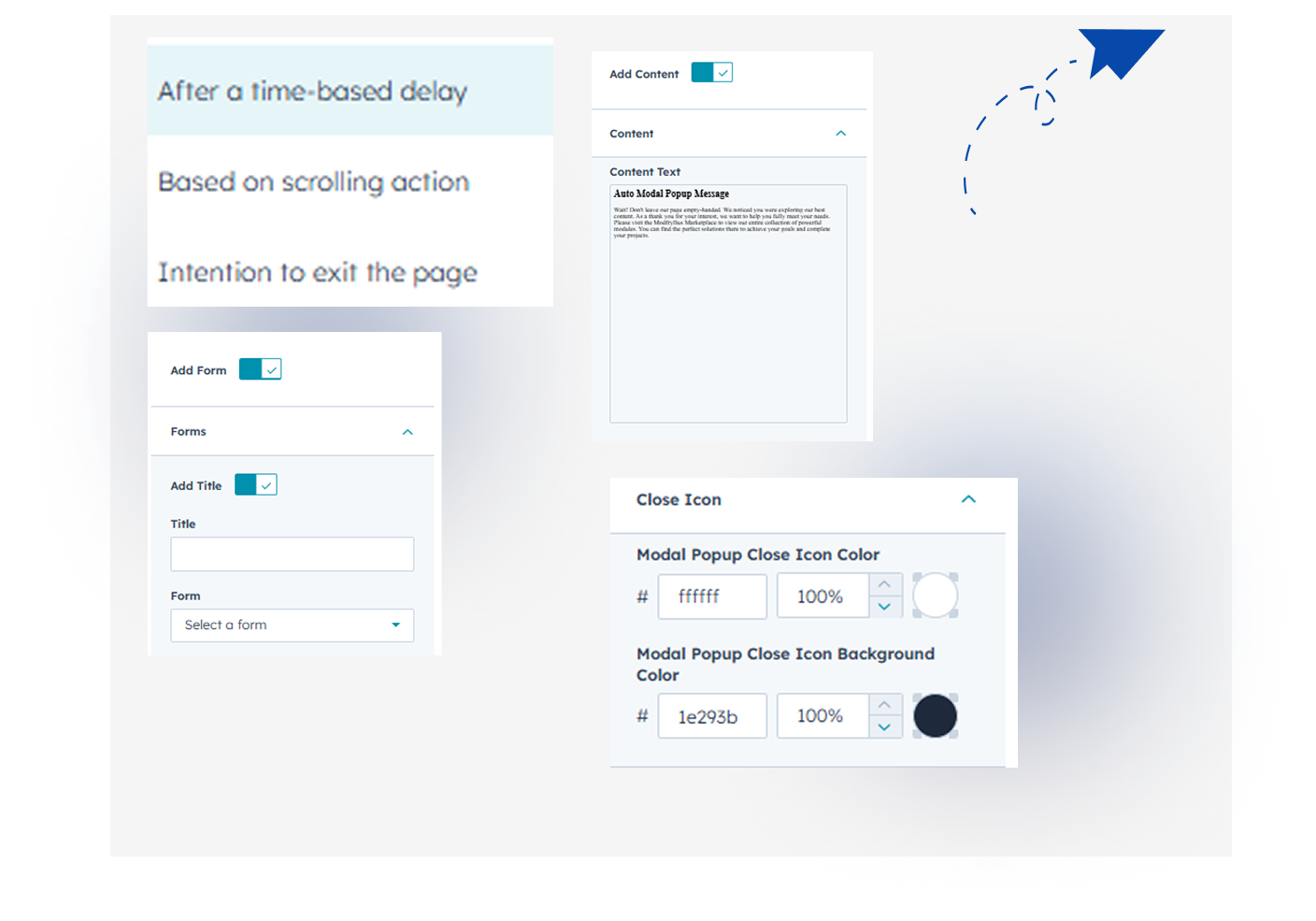
1. Content Tab- Content Visibility: Show or hide the pop-up's main text: Title, Description, and Lists.
- Form: Turn the HubSpot Form display on or off.
- Close Button Styling: Customize the Close Icon's color and background.
- Smart Timing: Set the pop-up trigger using Exit-Intent, Time Delay, or Scroll Depth.
2. Style Tab
- Fully Customizable – Modify colors, text, and layouts to match your brand.
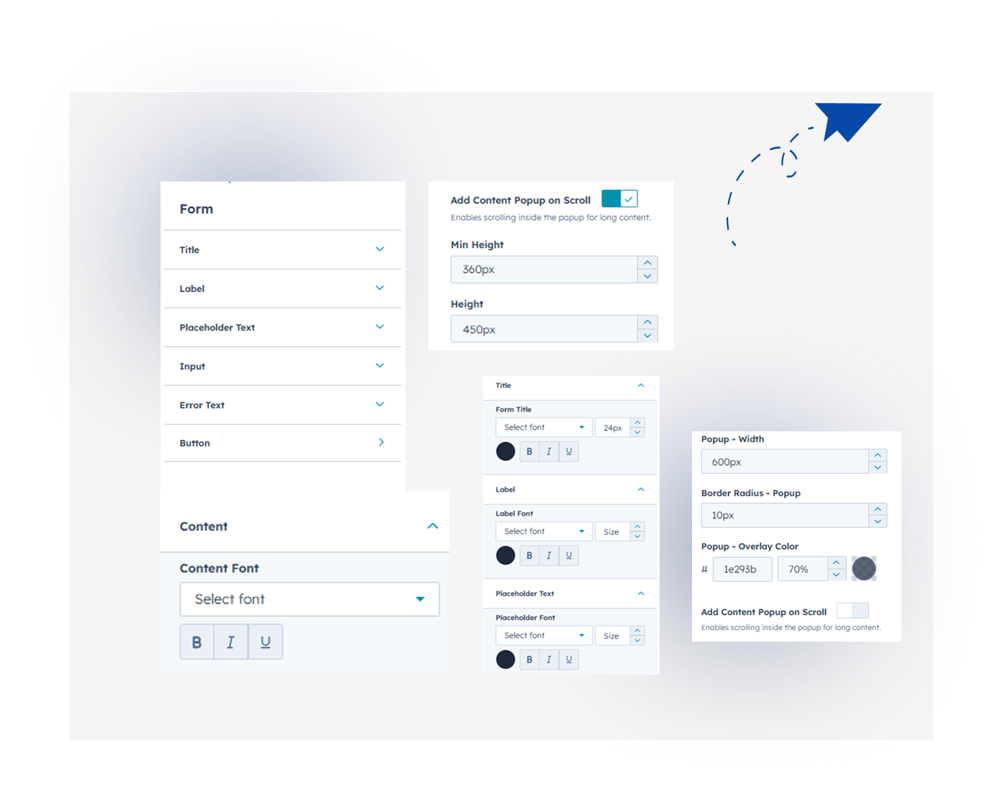
- Content Typography: Set the Font Family and Color for the popup's main text (titles, descriptions, etc.).
- Form Styling: Fully customize the colors, borders, backgrounds, and fonts for all form elements.
- Content Scroll Control: Define how scrolling works inside the popup if the content is too long.
- Responsive Design: Works perfectly across all devices (mobile, tablet, desktop)..
6. Examples / Demo Preview
View the module in action: https://www.modfrybus.shop/auto-popup-modal
7. Support & Contact
For questions or support, contact us at productqueriemodfrybus@outlook.com We’re happy to help!